
Download BubbleUPnP – DLNA, Chromecast, Multimedia, Android, Windows, Mac
Overview
BubbleUPnP is a free desktop application designed to enhance multimedia streaming across devices within a home network. Developed by Bubblesoft, the software functions as a DLNA and Chromecast-compatible media controller, enabling seamless playback of audio, video, and images from local or networked sources. It is intended for users who manage digital media libraries and seek a unified interface to control playback across smart TVs, speakers, and mobile devices. The software supports multiple languages, including English, French, and German, making it accessible to a broad international audience.
It is particularly useful for home users, media enthusiasts, and professionals managing digital content in multi-room environments. The application allows users to discover, stream, and manage media from various sources, including NAS devices, shared folders, and media servers. While the developer did not specify target user roles beyond general multimedia consumption, the software’s design suggests a focus on usability and compatibility with existing home entertainment ecosystems. Real-world usage scenarios include streaming music from a personal library to a living room speaker or casting a movie from a laptop to a smart TV.
Key Features & Capabilities
- DLNA/UPnP Support – Enables discovery and playback of media files from UPnP-compliant devices on the local network, such as media servers, NAS units, and smart TVs.
- Chromecast Integration – Allows casting of audio and video content from the desktop to Chromecast-enabled devices, including Google Nest Audio and Chromecast with Google TV.
- Multi-Device Control – Provides centralized control over multiple playback devices, allowing users to switch or pause content across different rooms.
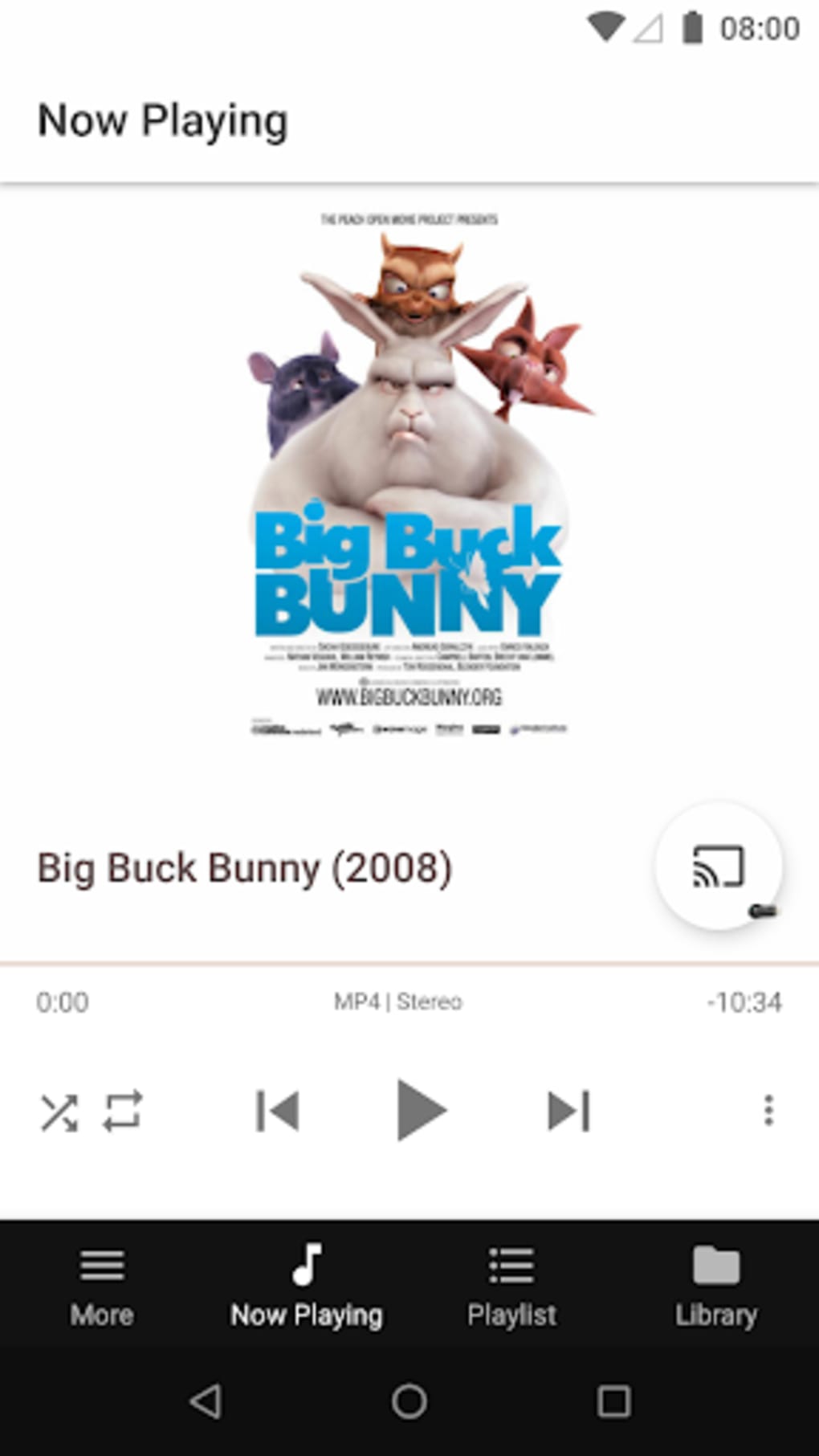
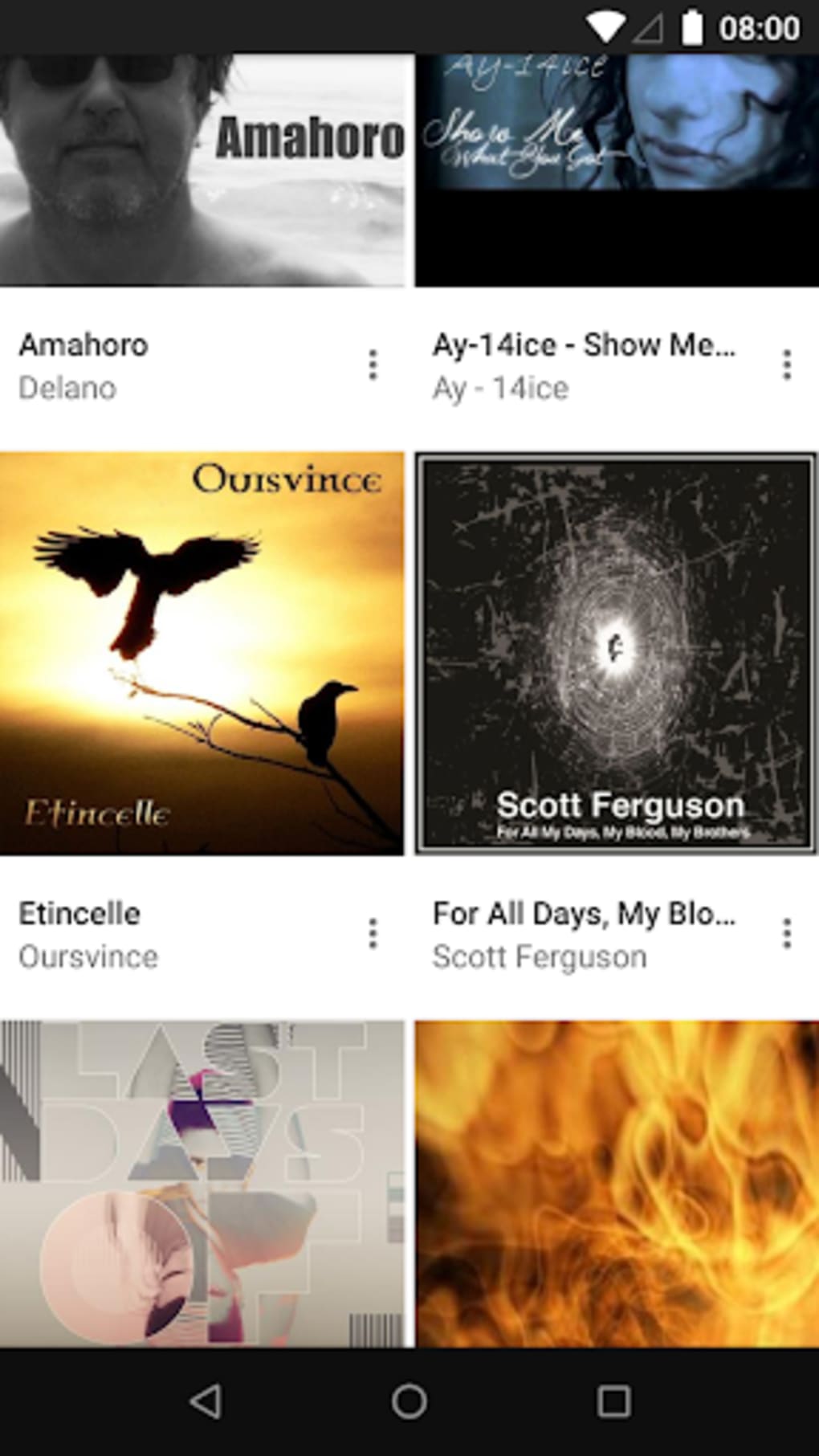
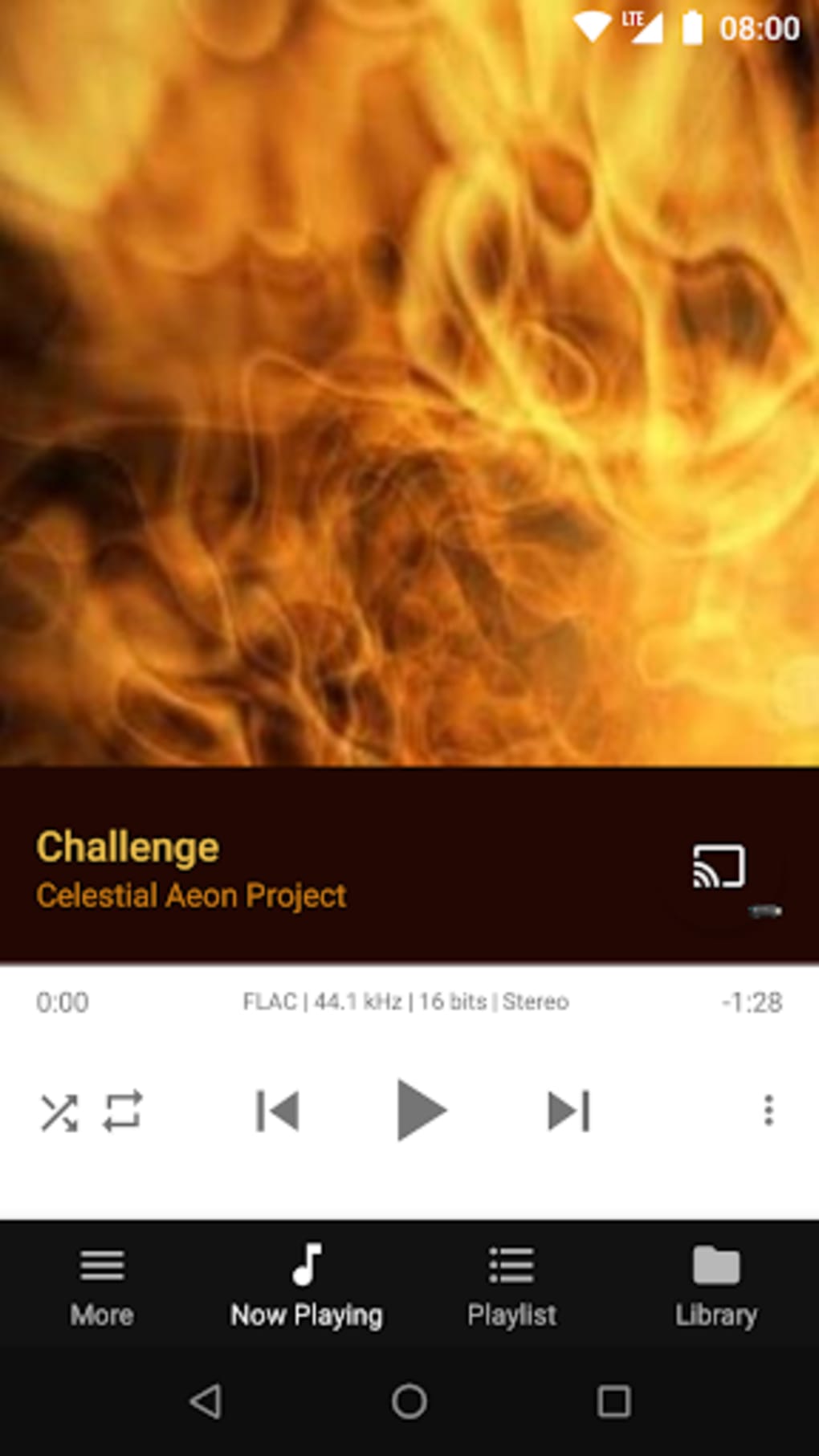
- Media Browsing & Playback – Offers a structured interface to navigate shared media folders, view metadata, and initiate playback with minimal latency.
- Language Support – Available in English, French, and German, supporting users across different regions without language barriers.
These features are especially beneficial in environments where multiple devices are used for entertainment. For example, a user can browse their media library on a Windows PC and cast a playlist to a speaker in another room. The software also supports streaming from both local and remote sources, making it ideal for users with distributed media collections. The ability to manage playback across devices enhances the overall user experience, particularly in multi-room setups.
User Interface, Workflow & Performance
The user interface of BubbleUPnP is designed with simplicity and functionality in mind, offering a clean layout that prioritizes media discovery and playback control. Navigation is intuitive, with clearly labeled sections for device discovery, media browsing, and playback management. The workflow is streamlined, allowing users to quickly locate content and initiate streaming with minimal steps.
While specific performance metrics such as CPU or RAM usage were not provided, the application’s design suggests efficient resource handling typical of lightweight desktop utilities. The developer did not specify resource usage details, but general behavior indicates stable operation during continuous playback. Stability is likely maintained through consistent handling of network protocols and device communication. The software does not appear to impose significant overhead on system performance, though real-world usage may vary depending on network speed and media file complexity.
Compatibility & System Requirements
BubbleUPnP is available for both Windows and Mac operating systems, supporting desktop environments on these platforms. The software is designed to run on modern systems with standard network capabilities. The installation file size is 112.6 MB, indicating a moderate footprint for a multimedia utility.
Exact system requirements were not listed by the developer. Compatibility information is limited to the operating systems mentioned. The developer did not specify minimum CPU, RAM, or storage requirements. As such, users should ensure their system meets general desktop application standards for network connectivity and OS compatibility. The application does not appear to require specialized hardware, relying instead on standard network infrastructure for device discovery and media streaming.
Pros and Cons
Pros
- Free to download and use with no licensing fees
- Supports both DLNA and Chromecast for broad device compatibility
- Intuitive interface suitable for both casual and advanced users
- Multi-room playback control enhances home entertainment setups
- Available in multiple languages for international accessibility
Cons
- Exact system requirements were not specified by the developer
- Performance data such as CPU or RAM usage was not provided
- Limited documentation or user guides were referenced in the input
- No information on automatic update mechanisms
- Compatibility with older OS versions is not confirmed
FAQ Section
Is BubbleUPnP available for Windows and Mac?
Yes, BubbleUPnP is available for both Windows and Mac operating systems, allowing users to stream media across desktop platforms.
Can I use BubbleUPnP without an internet connection?
Yes, the software operates over local networks, so it does not require an internet connection to discover or stream media from devices on the same network.
Is BubbleUPnP safe to download and install?
Yes, the program is available for free from the official website and is developed by Bubblesoft, a known developer in the multimedia space. Users should download from trusted sources to ensure security.
Does BubbleUPnP support automatic updates?
The developer did not specify whether automatic updates are included. Users may need to manually check for new versions on the official website.
What kind of media files can BubbleUPnP play?
BubbleUPnP supports a wide range of audio, video, and image formats that are compatible with DLNA and Chromecast standards. Specific file support depends on the source device and codec availability.
Final Thoughts + CTA
BubbleUPnP stands out as a reliable, free solution for users seeking to unify their home media streaming experience. With strong support for DLNA and Chromecast, it offers a practical tool for managing audio and video playback across multiple devices. Its clean interface, multi-device control, and language support make it accessible to a wide audience. While detailed system requirements and performance data are not available, the software’s design suggests stable operation on modern desktop systems.
It is especially beneficial for home users and media enthusiasts who maintain digital libraries and want seamless playback across rooms. For those looking to enhance their home entertainment setup without additional costs, BubbleUPnP delivers solid value. The free license removes financial barriers, making it an attractive option in the multimedia utility space.
Download BubbleUPnP now to experience effortless media streaming across your network.






.png)
